The layer above your AI.
Calque reads every page your agent ships, after every deploy, and tells it exactly what to fix. It never touches your code.
Next.js on Vercel · runs in your own GitHub Actions · 2 minutes per scan
111 pages · 1,746 URLs · 1 panel
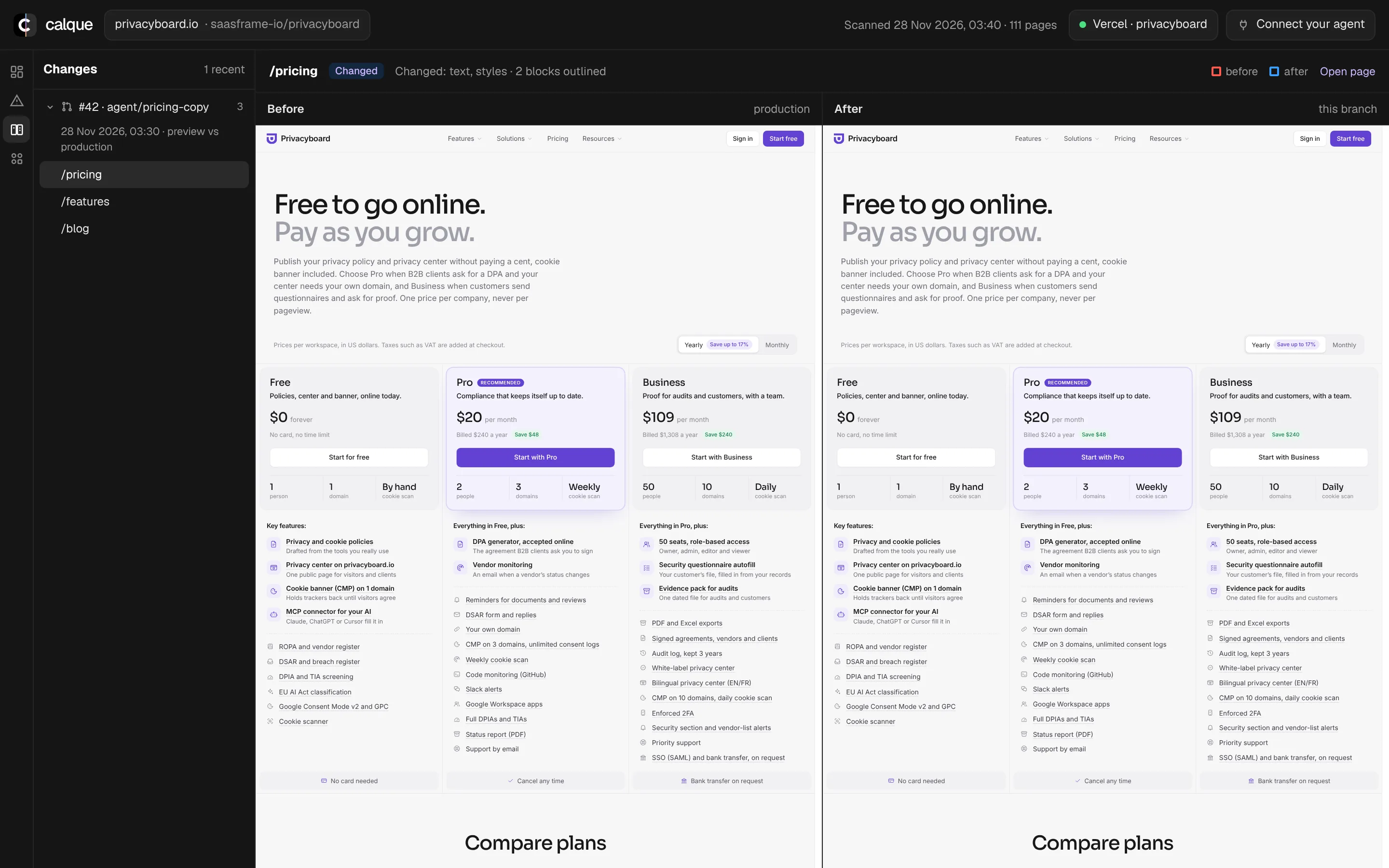
The pages panel your coded site never had
Webflow and Framer show you every page. A site your agent writes in Next.js does not. Calque reads the routes from your repo and the pages from your sitemap, then shows each one as it is in production.
Static pages, dynamic templates and redirects, with their file, their settings and a snapshot of the live page.
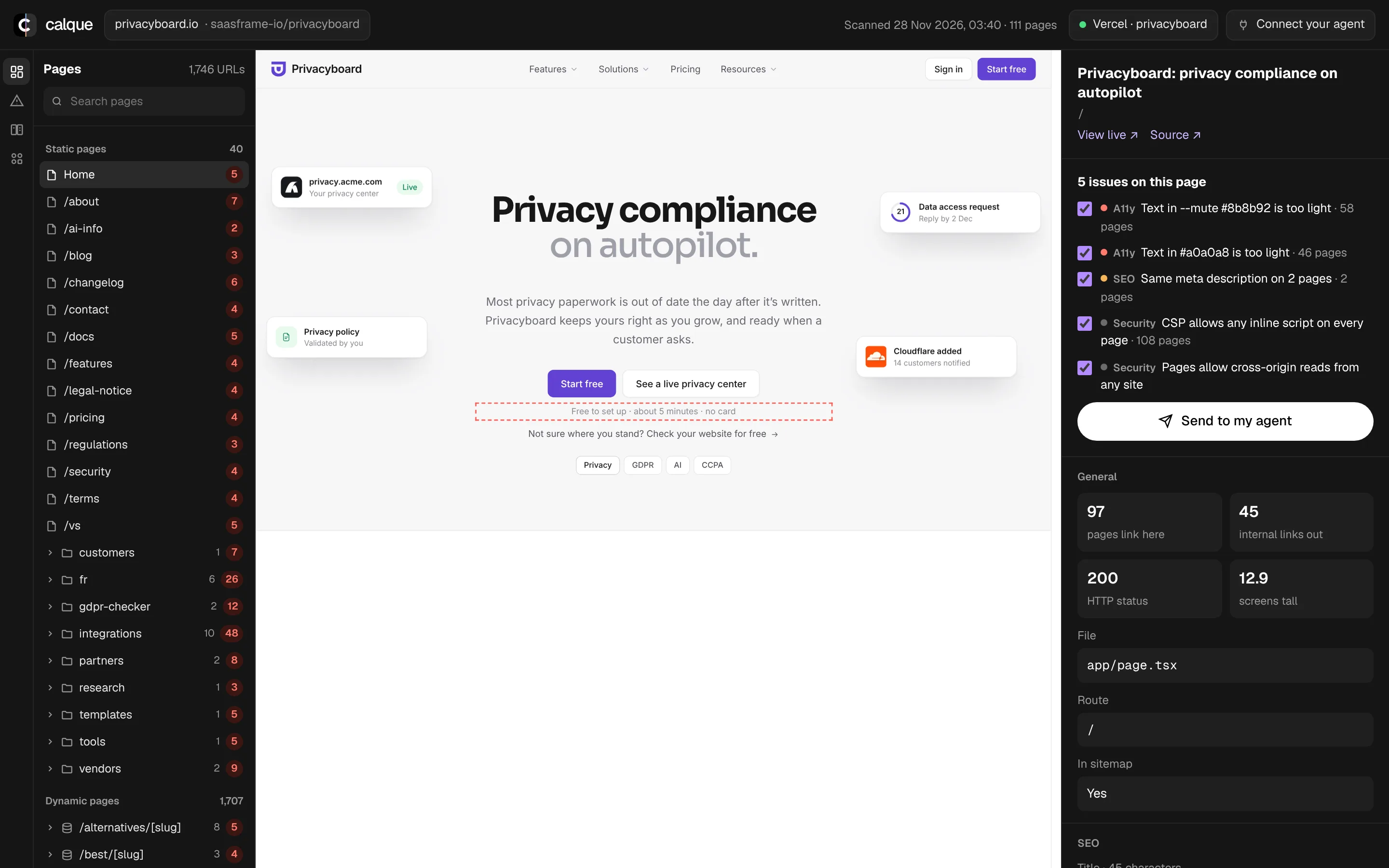
76 warnings → 1 issue → 1 line
Problems found at their source
One grey that fails contrast on 58 pages is one issue, not 76. Calque points to the token, the file and the line, and says what is expected.
Checks are deterministic. No AI on our side, so the same page gives the same result every time.
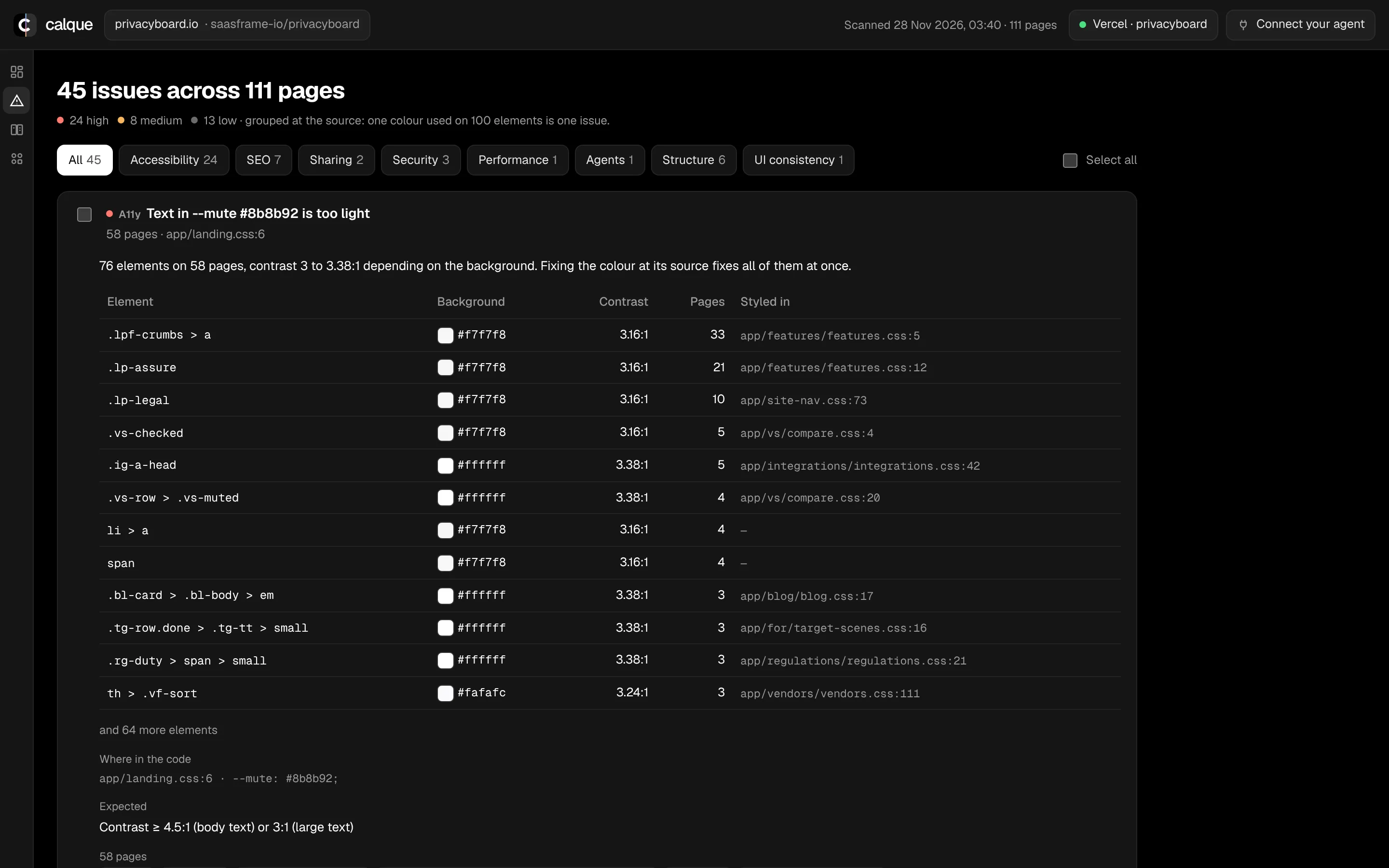
PR #42 · 3 pages look different
What your agent changed, page by page
Agents say done. Calque shows which screens actually moved. Every deployment and every pull request lists the pages that look different, before and after, with the changed blocks outlined.
The review lands as a comment on the pull request, with a link to each page.
0 lines of code changed by Calque
Your agent does the fixing
Calque never edits your code. Add it as a connector in Claude, Cursor or Claude Code: your agent reads the issues, where they are and what is expected, then fixes them in your repo.
It also gets your site’s design rules, measured on the live pages, so the next page it builds uses your tokens and your button.
claude mcp add --transport http calque https://getcalque.com/api/mcp
# Design rules: acme.com
- A primary action uses the primary button:
  background #6241d3 (--accent), radius 9px, height 36px.
- Text sizes: 14px, 15px, 13px. Use one of these first.
- Do not use --mute for body text: it fails contrast today.
9 families · deterministic · same page, same result
What it checks on every deploy
- SEO
- Titles, descriptions, canonicals and headings, page by page.
- Indexing
- A noindex left on in production, a sitemap pointing at 404s, broken internal links, redirect chains.
- Sharing
- How each page looks when posted on X, LinkedIn or Slack, image included.
- Accessibility
- Contrast, labels and landmarks, grouped by the colour or component that causes them.
- Security
- Headers, exposed .env files, secrets in your JavaScript, cookies set before consent.
- Performance
- Page weight, oversized images, render-blocking scripts, layout shifts.
- Agents
- Content that only exists after JavaScript runs, fake buttons, missing structured data.
- Structure
- Orphan pages, duplicate titles, pages nobody links to.
- Design consistency
- The fourth button style, the grey that is not a token, measured on the live site.
1 workflow file · 0 servers of ours
Set up once, in your own CI
- Connect your repository
Create a project in Calque and add one workflow file to your repo. Your agent can do it from the setup steps.
- Deploy as usual
After each Vercel deployment, your GitHub Actions scan the site in about two minutes. Nothing runs on our servers.
- Open the sheet
Every page, its issues and what changed are in Calque, and in your agent through the connector.